
Build a pronunciation dictionary
Correct recurring names, brands, acronyms, medications, and specialist terms without overloading ordinary speech.
Add only terms that repeatedly sound wrong
A pronunciation dictionary is most effective when each entry solves a demonstrated problem. Listen to the generated speech first and record the exact written form that Connect receives. Add names, brands, acronyms, locations, medications, or technical terms that repeatedly sound wrong. Do not add ordinary words that already work, because unnecessary overrides make the dictionary harder to review.
- Good candidates: uncommon names, abbreviations, product names, and domain-specific terms.
- Weak candidates: ordinary words affected by a bad microphone, wrong language, or unstable route.
- One purpose: create separate dictionaries for materially different teams or workflows.
- Exact spelling: match capitalization and punctuation behavior used by the transcript.
Create and activate the dictionary
Open Portal → Pronunciation Dicts, give the dictionary a recognizable name, and confirm that it is active. Enter the written word and a simple spoken approximation. The application provides examples such as SQL → “Sequel” and quinoa → “keen-wah”; treat them as formatting guidance, then test the exact term used by your conversation.
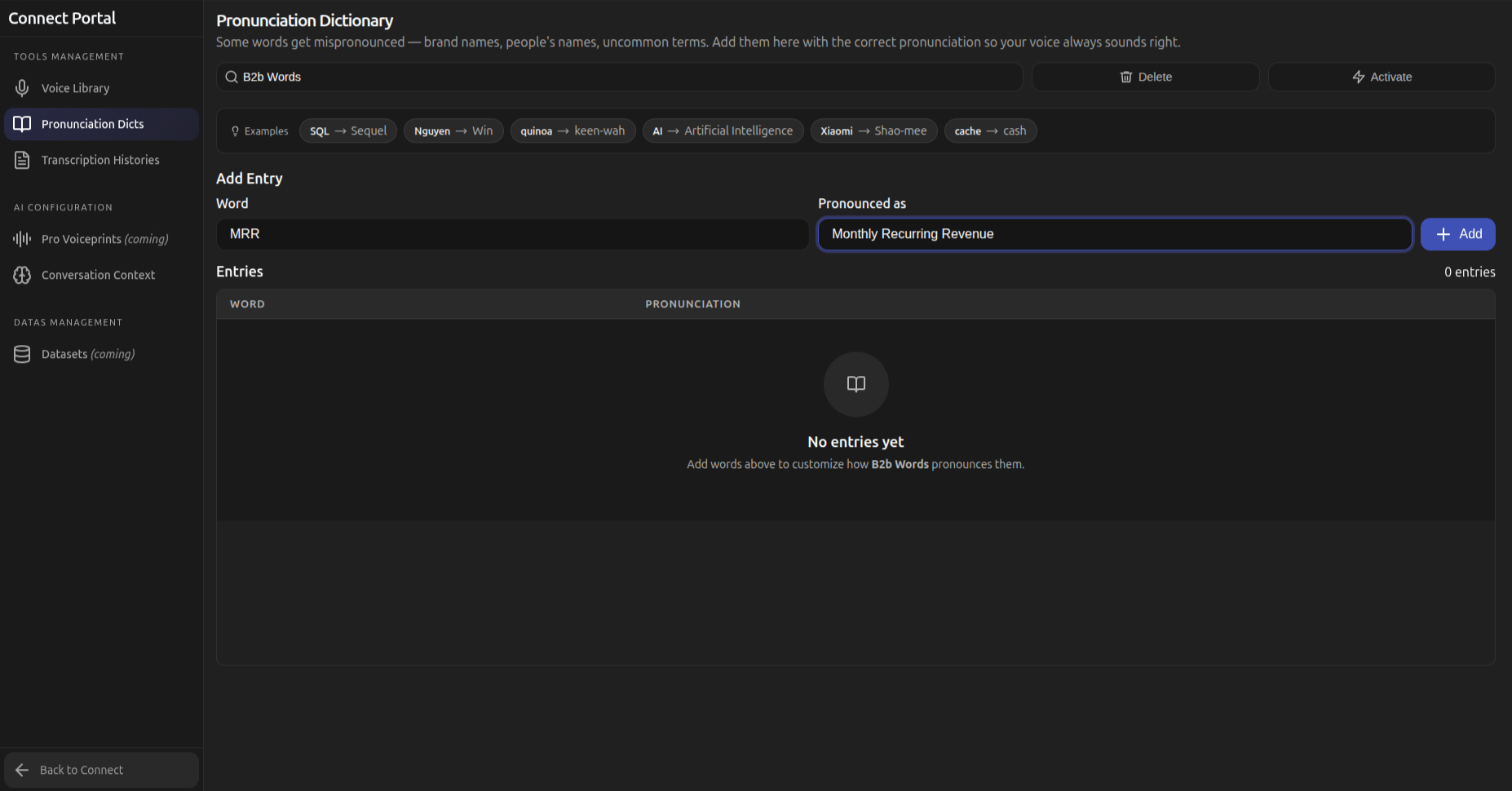
Write a useful spoken approximation
Break difficult terms into readable sound groups, preserve the stressed syllable through spelling or hyphenation, and use the target language’s familiar sound patterns. Test singular, plural, possessive, and sentence-final forms when the term appears in different contexts. If one written form has several meanings, avoid a global override that would make another workflow incorrect.
| Written form | Spoken approximation | Test sentence |
|---|---|---|
| Nguyen | Win | “I will transfer you to Nguyen.” |
| SQL | Sequel | “The SQL query completed.” |
| quinoa | keen-wah | “The bowl includes quinoa.” |
Test the term inside real sentences
Preview or place a short test call using a sentence before the term, a sentence with the term in the middle, and a sentence ending with it. Keep the selected voice, language, mode, and audio route unchanged. Listen for the target word and for pacing around it. A correction that sounds right alone can still create an unnatural pause in a sentence.
Keep dictionaries small and reviewable
Remove obsolete entries, duplicates, and experiments that never improved speech. Use clear dictionary names and document the workflow or target language in the description when available. Retest important terms after changing the voice or target language because the same approximation may not work across voices, languages, or dialects.
- Review duplicates: keep one authoritative spelling and pronunciation per intended meaning.
- Separate languages: use language-specific resources when sound rules differ.
- Retest voices: a new voice can stress or pace the same approximation differently.
- Deactivate before deleting: compare behavior once more when an entry’s value is uncertain.
Frequently asked questions
These answers clarify the decisions that most often affect this workflow. Keep the working microphone, speaker, language pair, and call route unchanged while testing a feature, and return to the simplest verified baseline whenever several simultaneous changes make the result difficult to explain.
How many terms should I add at once?
Add a small group of demonstrated problems, then test them. Large unreviewed batches make regressions difficult to identify.
Why does the word still sound wrong?
Confirm the exact written form, target language, active dictionary, and selected voice. Then simplify the spoken approximation and test it in a complete sentence.
Should acronyms be expanded or spoken as letters?
Match the way participants expect to hear the acronym. Create an override only when the default behavior is consistently wrong.
Do I need a different dictionary for every language?
Use separate dictionaries when pronunciation rules or intended sounds differ materially between target languages.
Support
Need help? Get in touch with our Support Team for assistance. Include the feature, operating system, calling application, selected microphone and speaker, language direction, and the exact step that failed. Describe the expected result and what happened instead without including passwords, private call content, or unnecessary personal data.
Was this article helpful?